# Use the TypeScript SDK > Learn how to install and use the TypeScript SDK to develop apps {/* vale Payabli.We = NO */} {/* First person rule off for Quickstart */} {/* vale Payabli.FileCapitalization["js"] = NO */} {/* Remove error when typing "Node.js" */} Payabli offers a Software Development Kit (SDK) for the TypeScript programming language. The TypeScript SDK can be installed in your projects to support app development and provide type safety when calling Payabli's APIs. Most development environments can use the SDK to generate code suggestions and inline documentation. See the [`@payabli/sdk-node`](https://www.npmjs.com/package/@payabli/sdk-node) package for more information. ## Dependencies Before you begin, make sure you have the following installed on your machine: * [npm](https://nodejs.org/en/download/) * [tsx](https://www.npmjs.com/package/tsx) * [git](https://git-scm.com/book/en/v2/Getting-Started-Installing-Git) ## Use the SDK This section shows you how to install and use the Payabli SDK in a new Node.js project. The example code shows how to use the SDK to make a transaction with the `moneyIn.getpaid` method. The `moneyIn.getpaid` method calls the [MoneyIn/getpaid](/developers/api-reference/moneyin/make-a-transaction) endpoint. See the [SDK reference](https://github.com/payabli/sdk-node/blob/main/reference.md) for a full list of methods. Method names in the SDK correspond to endpoint names in the API reference. For example: the `notification.addNotification` method calls the [POST Notification](/developers/api-reference/notification/add-notification) endpoint. Open your terminal and run the following commands to create a new Node.js project: ```bash mkdir my-payabli-app cd my-payabli-app npm init -y ``` Open the `package.json` file in your code editor and set the `"type"` field to `"module"`: ```json { "type": "module" } ``` Run the following command to install the Payabli SDK: ```bash npm install @payabli/sdk-node ``` Create a new file called `index.ts` in the root of your `my-payabli-app` directory: ```bash touch index.ts ``` Open the `index.ts` file in your code editor. The interactive walkthrough displays code examples alongside step-by-step explanations. Follow the walkthrough to use the SDK in your TypeScript code. {/* Hidden markdown content for server rendering and AI ingestion */}
/// Import the client Import the Payabli SDK to make it available in your code. ```typescript // index.ts import { PayabliClient } from '@payabli/sdk-node'; ``` /// Initialize the client Create an authenticated client instance with your API key. This client has methods that call Payabli's API endpoints. ```typescript focus=4 // index.ts import { PayabliClient } from '@payabli/sdk-node'; const client = new PayabliClient({ apiKey: "REPLACE_WITH_YOUR_API_KEY" }); ``` /// Define the entrypoint Define your entrypoint. Get this value from your Payabli account. ```typescript focus=6 // index.ts import { PayabliClient } from '@payabli/sdk-node'; const client = new PayabliClient({ apiKey: "REPLACE_WITH_YOUR_API_KEY" }); const entryPoint = "REPLACE_WITH_YOUR_ENTRYPOINT"; ``` /// Build the payment request Construct a request object that contains all the necessary fields to process a transaction. Include payment details, a payment method, and customer data. ```typescript focus=8-29 // index.ts import { PayabliClient } from '@payabli/sdk-node'; const client = new PayabliClient({ apiKey: "REPLACE_WITH_YOUR_API_KEY" }); const entryPoint = "REPLACE_WITH_YOUR_ENTRYPOINT"; const request = { body: { customerData: { customerId: 4440, }, entryPoint, ipaddress: "255.255.255.255", paymentDetails: { serviceFee: 0, totalAmount: 100, }, paymentMethod: { cardcvv: "999", cardexp: "02/27", cardHolder: "Kassiane Cassian", cardnumber: "4111111111111111", cardzip: "12345", initiator: "payor", method: "card", }, }, }; ``` /// Execute the transaction Call `moneyIn.getpaid()` to process the transaction. The client calls Payabli's `POST /MoneyIn/getpaid` endpoint. ```typescript focus=31 // index.ts import { PayabliClient } from '@payabli/sdk-node'; const client = new PayabliClient({ apiKey: "REPLACE_WITH_YOUR_API_KEY" }); const entryPoint = "REPLACE_WITH_YOUR_ENTRYPOINT"; const request = { body: { customerData: { customerId: 4440, }, entryPoint, ipaddress: "255.255.255.255", paymentDetails: { serviceFee: 0, totalAmount: 100, }, paymentMethod: { cardcvv: "999", cardexp: "02/27", cardHolder: "Kassiane Cassian", cardnumber: "4111111111111111", cardzip: "12345", initiator: "payor", method: "card", }, }, }; const result = await client.moneyIn.getpaid(request); ``` /// Show the result Log the transaction response. Check the output to see if the transaction was successful. ```typescript focus=33 // index.ts import { PayabliClient } from '@payabli/sdk-node'; const client = new PayabliClient({ apiKey: "REPLACE_WITH_YOUR_API_KEY" }); const entryPoint = "REPLACE_WITH_YOUR_ENTRYPOINT"; const request = { body: { customerData: { customerId: 4440, }, entryPoint, ipaddress: "255.255.255.255", paymentDetails: { serviceFee: 0, totalAmount: 100, }, paymentMethod: { cardcvv: "999", cardexp: "02/27", cardHolder: "Kassiane Cassian", cardnumber: "4111111111111111", cardzip: "12345", initiator: "payor", method: "card", }, }, }; const result = await client.moneyIn.getpaid(request); console.log(result); ```
Run the app with the following command: ```bash tsx index.ts ``` Check the console output for the result of the transaction. ```js { responseText: "Success", isSuccess: true, pageIdentifier: null, responseData: { authCode: "TAS003", referenceId: "255-67bc92c141e24f474f60c1968fcba0cd", resultCode: 1, resultText: "Approved", avsResponseText: "No Match, No address or ZIP match", cvvResponseText: "CVV2/CVC2 match", customerId: 4440, methodReferenceId: null, }, } ```
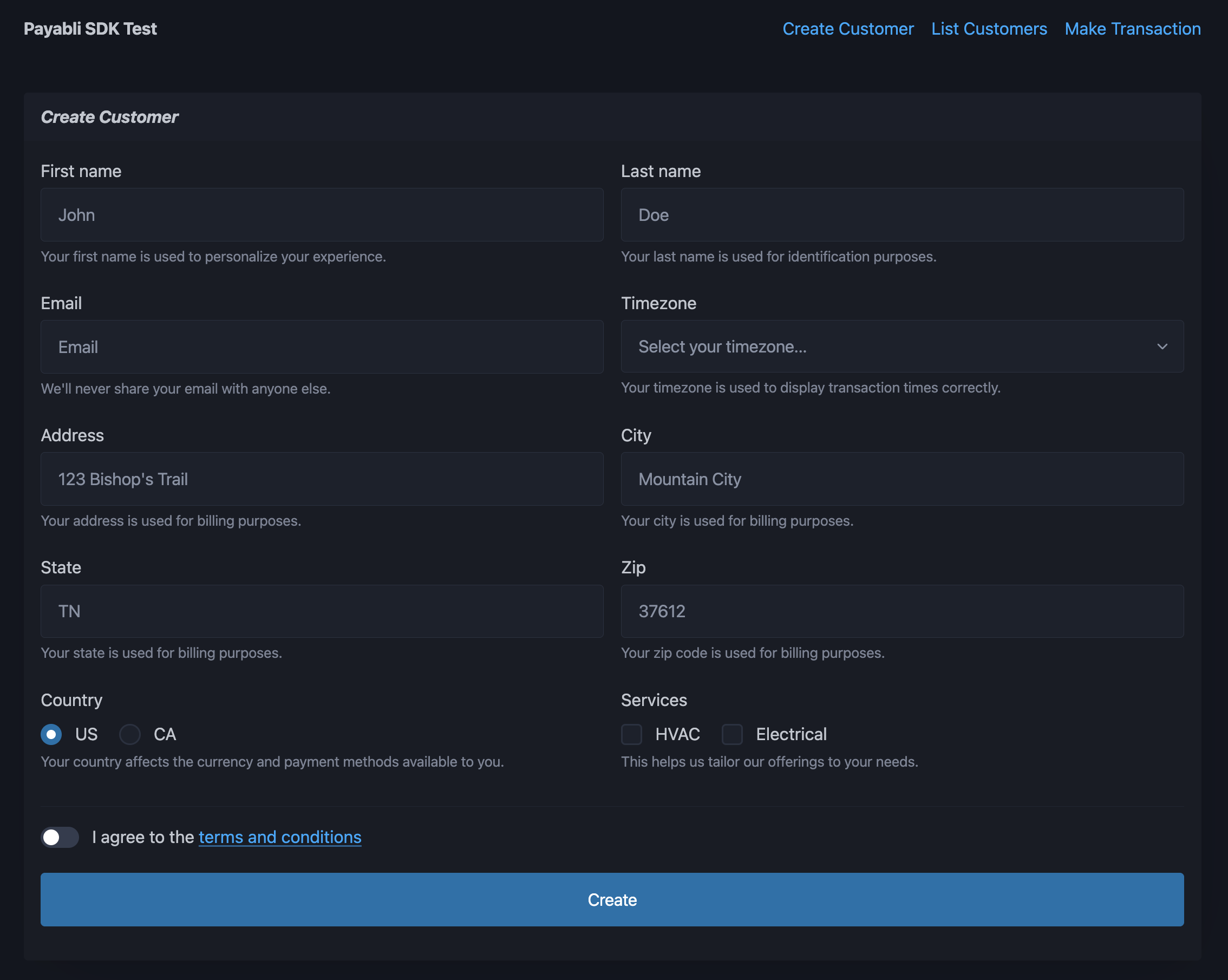
In production, we recommend that you pass a stored method ID to the `paymentMethod` object instead of card details. See more information in [Tokenization Overview](/guides/platform-tokenization-overview). ## SDK example app The SDK example app is a basic web app built with the Payabli TypeScript SDK. It demonstrates how to manage customers and use the temporary token flow with the SDK. The code is publicly available in the [example repository](https://github.com/payabli/examples/tree/main/sdk/ts-sdk). customer creation page of SDK example app ### Set up the app Follow these steps to set up the SDK example app on your local machine: Open your terminal and run the following command to clone the SDK example app repository: ```bash git clone https://github.com/payabli/examples ``` In your terminal, navigate to the directory containing the SDK example app: ```bash cd examples/sdk-example ``` Install the dependencies with the following command: ```bash npm install ``` Copy the`.env.template` file to a new file called `.env`: ```bash cp .env.template .env ``` Open the `.env` file in your code editor. Set `PAYABLI_KEY` to a private API token, `PAYABLI_ENTRY` to your Payabli entrypoint, `PUBLIC_PAYABLI_TOKEN` to a public API token, and `PUBLIC_PAYABLI_ENTRY` to your Payabli entrypoint. The entry values should be the same for both public and private, but the API keys are different: ```bash # your Payabli Private API token PAYABLI_KEY="o.Oim...Mekgjw=" # your Payabli Public API token PUBLIC_PAYABLI_TOKEN="o.Oim...Mekgjw=" # your Payabli entrypoint PAYABLI_ENTRY="41xxxxxa7e" # your Payabli entrypoint (same as above) PUBLIC_PAYABLI_ENTRY="41xxxxxa7e" ``` Run this command to start the development server, and open the app in your browser: ```bash npm run dev ``` ### Use the app The SDK example app has three pages: 1. **Create Customer** - Create a new customer in the Payabli entrypoint. 2. **List Customers** - View a list of all customers in the Payabli entrypoint. 3. **Make Transaction** - Make a transaction using the temporary token flow. #### Create customer The **Create Customer** page has a form that allows you to create a new customer. Fill in the form with the customer's information and click the "Create" button. If the customer is created successfully, a green success message appears below the button. #### List customers The **List Customers** page has a table of all customers in the entrypoint. You can view the customer's information, including their name, email address, and ZIP Code. Click the "X" button on the right side of a customer's row to delete the customer. If the customer is deleted successfully, the row is removed from the table. #### Make transaction The **Make Transaction** page contains an EmbeddedMethod UI component using the temporary token flow. Fill in the form with payment information and click the "Process" button when the payment information is valid. The app performs these steps: 1. The embedded component saves the payment method as a temporary token and sends it to the server. 2. The server converts the temporary token to a permanent token with the **POST TokenStorage/add** endpoint. 3. The server uses the permanent token to make a transaction with the **POST MoneyIn/getpaid** endpoint. If everything is successful, a green success message appears below the embedded component. See [Extend embedded components with the temporary token flow](/guides/platform-developer-tokenization-temp-flow) for more information.