> This is Payabli documentation. For a complete page index, fetch https://docs.payabli.com/llms.txt — append .md to any page URL for lightweight markdown. For section-level indexes, query parameters, and other AI-optimized access methods, see https://docs.payabli.com/ai-agents.md
# Payabli Portal overview
> Understand what the Payabli Portal is, what it enables, and what it means for your team
The Payabli Portal is a browser-based application that gives partners and merchants direct, secure access to many of the same capabilities available through the APIs. It covers the full operational range of the platform: from transaction management to merchant onboarding to developer configuration. It's organized around Payabli's three product areas: Pay In, Pay Out, and Pay Ops. Which parts you use most depends on your role.
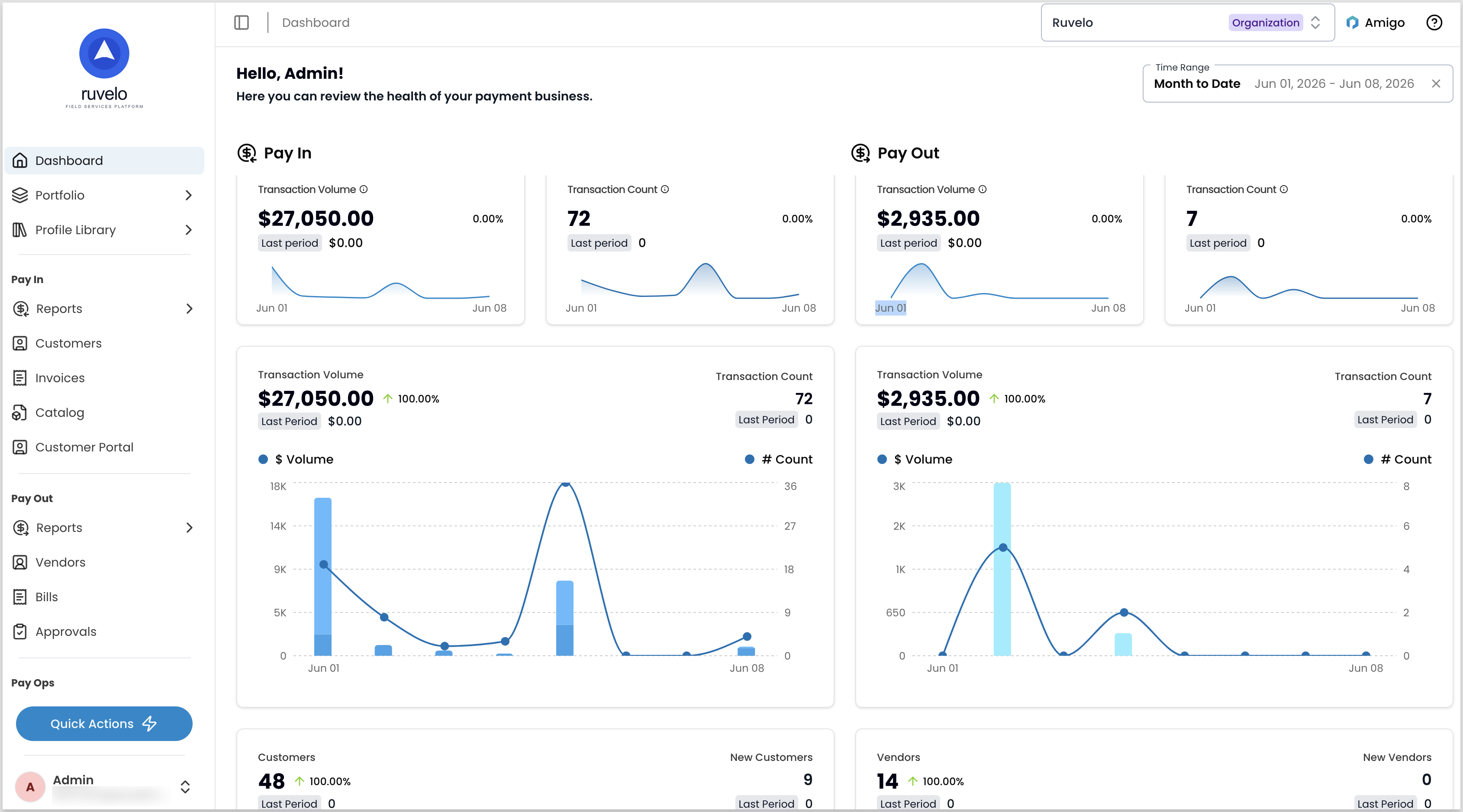 ## Who uses the Payabli Portal
**Business users** work here day-to-day — managing transactions, running reports, handling vendor operations and payouts, and resolving disputes. Start with [transactions and reports](/guides/pay-in-portal-transactions-reports).
**Administrators** control who can access it and what they can do. User accounts, role assignments, and organizational settings are all managed through Pay Ops. Start with [managing users](/guides/pay-ops-portal-users-manage).
**Developers** use it during integration and as an ongoing companion to the API — token generation, webhook configuration, and SFTP access management. Start with [API token setup](/developers/api-reference/api-overview#create-and-manage-api-tokens).
**Merchants** can access a view scoped to their own activity — transaction history, disputes, and payouts — when their partner enables it. Their view is typically styled to match the partner's brand.
## Comparison with the API
The Payabli Portal and the API cover much of the same ground, but a few UI-specific features are worth knowing:
* **User access:** You don't need to generate user API tokens or make requests through the backend. You can log in with a password and MFA, or through a single sign-on provider.
* **Custom reports:** It includes a custom reports builder in the UI, reducing dependence on backend data pulls for reporting workflows.
* **No-code operations:** Tasks like vendor enrichment and boarding template management don't require API calls, making them accessible to non-technical users.
* **Testing:** It runs in the same sandbox environment as the API, and the same [test cards](/guides/test-accounts-reference) work in both. See the [integration testing guide](/developers/platform-developer-testing-guide) for testing workflows that apply to either surface.
## Reports and navigation
Most of your data lives in *reports*: filterable table views where clicking a row opens the full record. Individual records support deep linking, so you can share a URL directly with teammates or the Payabli support team.
## Who uses the Payabli Portal
**Business users** work here day-to-day — managing transactions, running reports, handling vendor operations and payouts, and resolving disputes. Start with [transactions and reports](/guides/pay-in-portal-transactions-reports).
**Administrators** control who can access it and what they can do. User accounts, role assignments, and organizational settings are all managed through Pay Ops. Start with [managing users](/guides/pay-ops-portal-users-manage).
**Developers** use it during integration and as an ongoing companion to the API — token generation, webhook configuration, and SFTP access management. Start with [API token setup](/developers/api-reference/api-overview#create-and-manage-api-tokens).
**Merchants** can access a view scoped to their own activity — transaction history, disputes, and payouts — when their partner enables it. Their view is typically styled to match the partner's brand.
## Comparison with the API
The Payabli Portal and the API cover much of the same ground, but a few UI-specific features are worth knowing:
* **User access:** You don't need to generate user API tokens or make requests through the backend. You can log in with a password and MFA, or through a single sign-on provider.
* **Custom reports:** It includes a custom reports builder in the UI, reducing dependence on backend data pulls for reporting workflows.
* **No-code operations:** Tasks like vendor enrichment and boarding template management don't require API calls, making them accessible to non-technical users.
* **Testing:** It runs in the same sandbox environment as the API, and the same [test cards](/guides/test-accounts-reference) work in both. See the [integration testing guide](/developers/platform-developer-testing-guide) for testing workflows that apply to either surface.
## Reports and navigation
Most of your data lives in *reports*: filterable table views where clicking a row opens the full record. Individual records support deep linking, so you can share a URL directly with teammates or the Payabli support team.
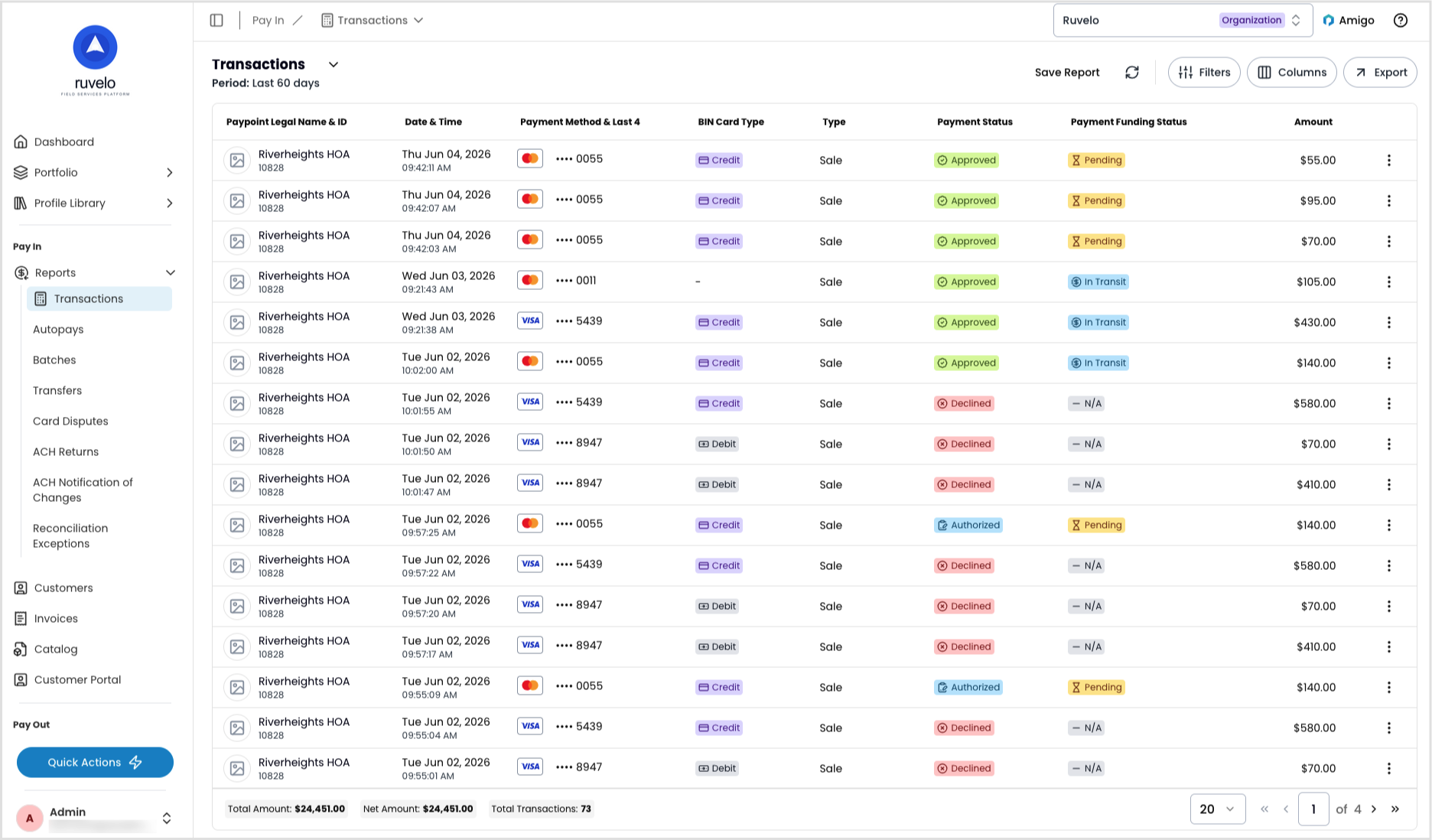 For a walkthrough of the sidebar, search, and quick actions, see [Navigate the Payabli Portal](/guides/platform-portal-navigation-overview).
## Related resources
See these related resources to help you get the most out of Payabli.
* **[Navigate the Payabli Portal](/guides/platform-portal-navigation-overview)** - Learn the layout of the Payabli Portal — Pay In, Pay Out, and Pay Ops — and what you'll find in each
- **[API overview](/developers/api-reference/api-overview)**
* **[Run your payments with Payabli](/guides/platform-payabli-three-ps-overview)** - Learn about Payabli's three Ps: Pay In, Pay Out, Pay Ops
* **[Access PartnerHub and PayHub](/guides/platform-portal-access)** - Learn how to access Payabli's PartnerHub and PayHub UIs
For a walkthrough of the sidebar, search, and quick actions, see [Navigate the Payabli Portal](/guides/platform-portal-navigation-overview).
## Related resources
See these related resources to help you get the most out of Payabli.
* **[Navigate the Payabli Portal](/guides/platform-portal-navigation-overview)** - Learn the layout of the Payabli Portal — Pay In, Pay Out, and Pay Ops — and what you'll find in each
- **[API overview](/developers/api-reference/api-overview)**
* **[Run your payments with Payabli](/guides/platform-payabli-three-ps-overview)** - Learn about Payabli's three Ps: Pay In, Pay Out, Pay Ops
* **[Access PartnerHub and PayHub](/guides/platform-portal-access)** - Learn how to access Payabli's PartnerHub and PayHub UIs