# Temporary token example app (for developers)
> Go through a guided checkout experience using the temporary token flow
This guide covers setting up a demo app that uses the [EmbeddedMethod UI](/guides/pay-in-components-embeddedmethod-ui) and custom API calls to drive the [temporary token flow](/guides/platform-developer-tokenization-temp-flow).
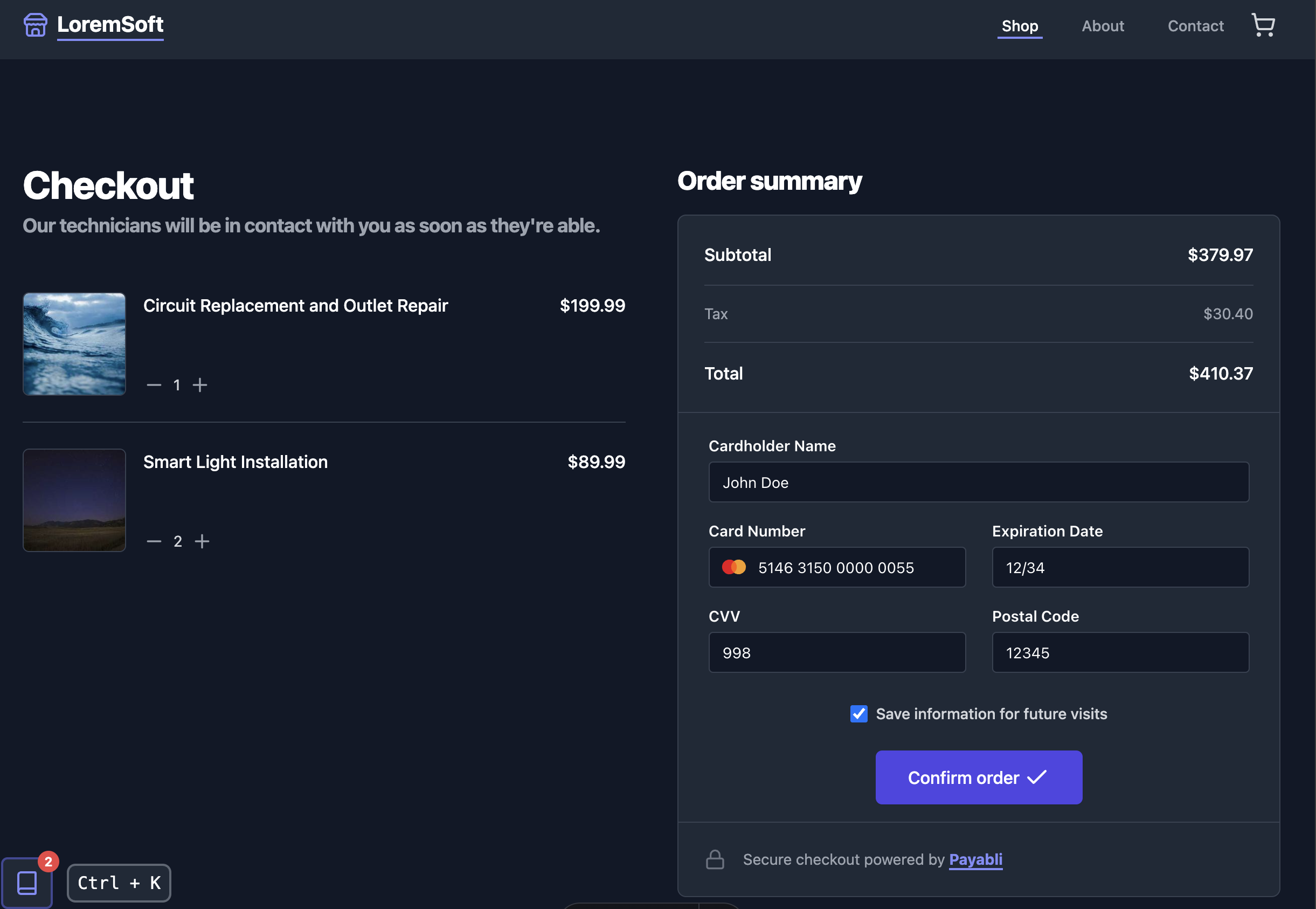
The demo app walks the user through a checkout experience with an interactive guide that updates while the transaction processes.
Visit the [repository](https://github.com/payabli/examples/tree/main/temp-token) to see the code.
 ## Dependencies
Before you begin, make sure you have the following installed on your machine:
* [npm](https://nodejs.org/en/download/)
* [git](https://git-scm.com/book/en/v2/Getting-Started-Installing-Git)
## Set up the app
Run these commands in your terminal to configure the demo app on your local machine:
```bash
git clone https://github.com/payabli/examples
```
```bash
cd examples/temp-token
```
```bash
npm install
```
```bash
cp .env.template .env
```
Open the `.env` file in your code editor. Set `PAYABLI_API_TOKEN` to your Payabli API token and `PAYABLI_API_PAYPOINT` to your Payabli API paypoint:
```txt
# your Payabli API token
PAYABLI_API_TOKEN="123...XYZ"
# your Payabli API paypoint
PAYABLI_API_PAYPOINT="123...XYZ"
```
```bash
npm run dev
```
## Use the app
The app is a single-page application with a sidebar that contains an interactive guide.
When you click the "Confirm order" button to complete the checkout, the state of the transaction will update the sidebar guide.
Inside of the guide, there are example code snippets that you can copy and paste to help you get started using the temporary token flow in your own applications.
The app has two ways to toggle the sidebar:
* Click the button on the bottom-left (desktop) or bottom-right (mobile) of the screen with a book icon.
* Press the `Ctrl + K` key combination on your keyboard (desktop only).
## Dependencies
Before you begin, make sure you have the following installed on your machine:
* [npm](https://nodejs.org/en/download/)
* [git](https://git-scm.com/book/en/v2/Getting-Started-Installing-Git)
## Set up the app
Run these commands in your terminal to configure the demo app on your local machine:
```bash
git clone https://github.com/payabli/examples
```
```bash
cd examples/temp-token
```
```bash
npm install
```
```bash
cp .env.template .env
```
Open the `.env` file in your code editor. Set `PAYABLI_API_TOKEN` to your Payabli API token and `PAYABLI_API_PAYPOINT` to your Payabli API paypoint:
```txt
# your Payabli API token
PAYABLI_API_TOKEN="123...XYZ"
# your Payabli API paypoint
PAYABLI_API_PAYPOINT="123...XYZ"
```
```bash
npm run dev
```
## Use the app
The app is a single-page application with a sidebar that contains an interactive guide.
When you click the "Confirm order" button to complete the checkout, the state of the transaction will update the sidebar guide.
Inside of the guide, there are example code snippets that you can copy and paste to help you get started using the temporary token flow in your own applications.
The app has two ways to toggle the sidebar:
* Click the button on the bottom-left (desktop) or bottom-right (mobile) of the screen with a book icon.
* Press the `Ctrl + K` key combination on your keyboard (desktop only).