

Amigo Insights overview
Amigo Insights is where you ask Amigo™, Payabli’s AI agent, questions in natural language — for example, “How did Pay In volume trend last quarter?” Amigo returns an answer sourced from your organization data, so you don’t need to build your reports or charts by hand.
What Amigo draws on
Amigo draws on two sources to answer your questions:
- Data from your own organization activity — transaction volume, chargeback rates, a specific paypoint’s status. Amigo queries your live Payabli data for a dated, specific answer.
- Platform knowledge about how Payabli features work in general — like which payment methods Pay Out supports. Amigo answers from Payabli’s product documentation instead of your account data.
Amigo access is controlled by organization scope and the amigo_read permission (enabled by default for Admin and Manager). Contact your Payabli representative to confirm which roles have this permission by default in your organization.
Once you have access, Amigo can query data from your enabled organizations and paypoints. Amigo doesn’t support paypoint-scoped access. See Amigo boundaries and guardrails for a deeper explanation.
Most real questions aren’t purely one or the other. Amigo can pull from both sources in a single answer. For example, it might resolve what a status code means (knowledge) before filtering your transactions by it (data). In another case, it might name which payment method a group of top chargeback merchants share (data) as a side detail.
Pay In, Pay Out, and Pay Ops data domains
Payabli organizes payment activity into three domains: Pay In (money coming from customers), Pay Out (money going to vendors), and Pay Ops (organizations, paypoints, boarding, and account administration). Amigo keeps the same split for data questions.
When a question could apply to more than one domain, Amigo uses context to scope the answer to the one it belongs to, or asks which domain you mean. This mirrors how the Payabli Portal already separates Pay In and Pay Out reporting, so Amigo’s behavior should feel familiar rather than surprising.
Within those domains, Amigo answers questions across analytics and performance, organizations and paypoints, transactions, settlements and transfers, risk and disputes, and boarding.
What an answer looks like
Amigo answers as part of your conversation, not with a dashboard. A typical response states the number, the date range, and enough context to interpret it. Where appropriate, this response includes a chart, key performance indicator (KPI) card, or data table when that helps visualize your data. Amigo surfaces the data. Interpreting what it means for your business is still up to you.
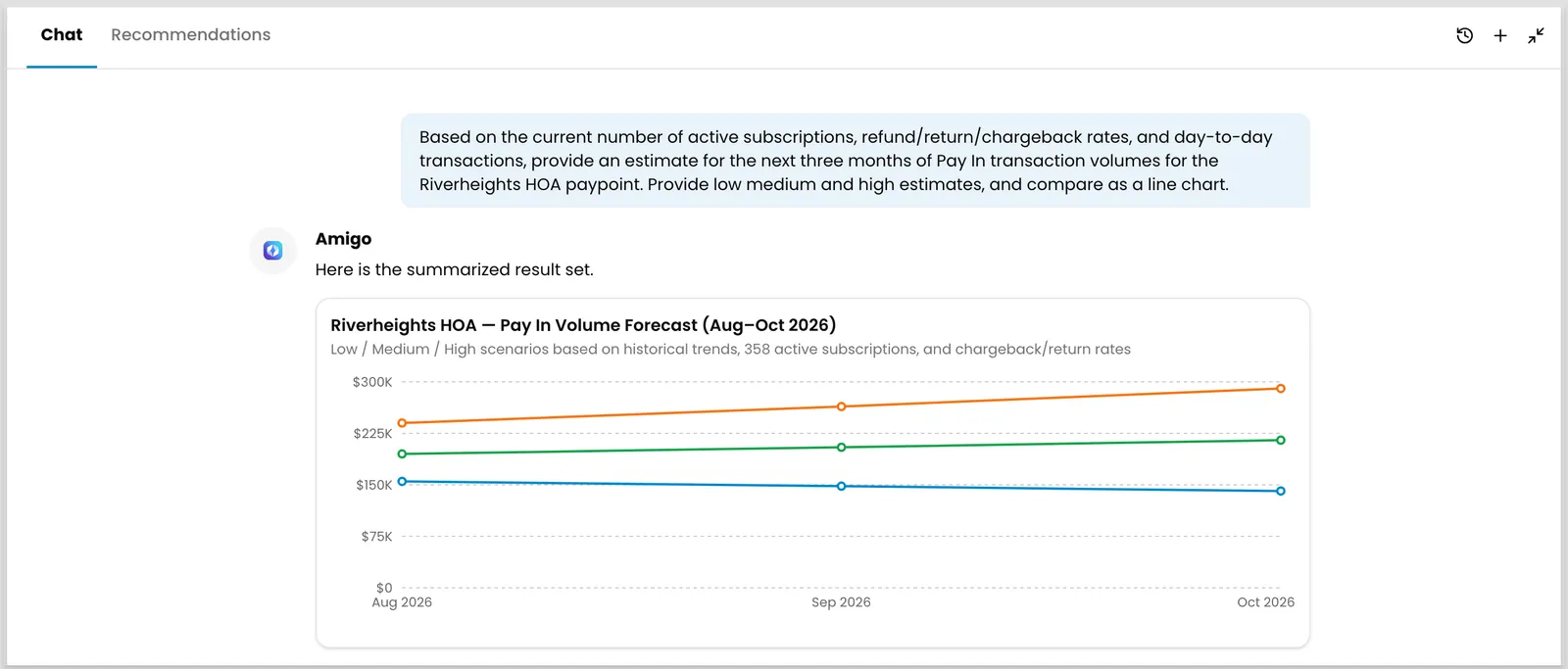
Amigo can create the following kinds of charts and tables:
Amigo’s answers stay within your business data. It won’t return cardholder details, account numbers, or other sensitive payment credentials, no matter how you phrase a question.
Amigo also keeps the conversation going. Ask a follow-up question, like requesting a breakdown by volume tier, and Amigo refines the earlier answer instead of starting over.
Related resources
See these related resources to help you get the most out of Payabli.
Next steps
- Use Amigo Insights for reports and analytics - Learn how to open Amigo and ask a question in the Payabli Portal