

Payabli Portal overview
The Payabli Portal is a browser-based application for partners and merchants who need access to payment operations outside of an embedded integration. It covers the full operational range of the platform: transaction management, merchant boarding, reporting, and developer configuration. It’s organized around Pay In, Pay Out, and Pay Ops. Which parts you use most depends on your role.
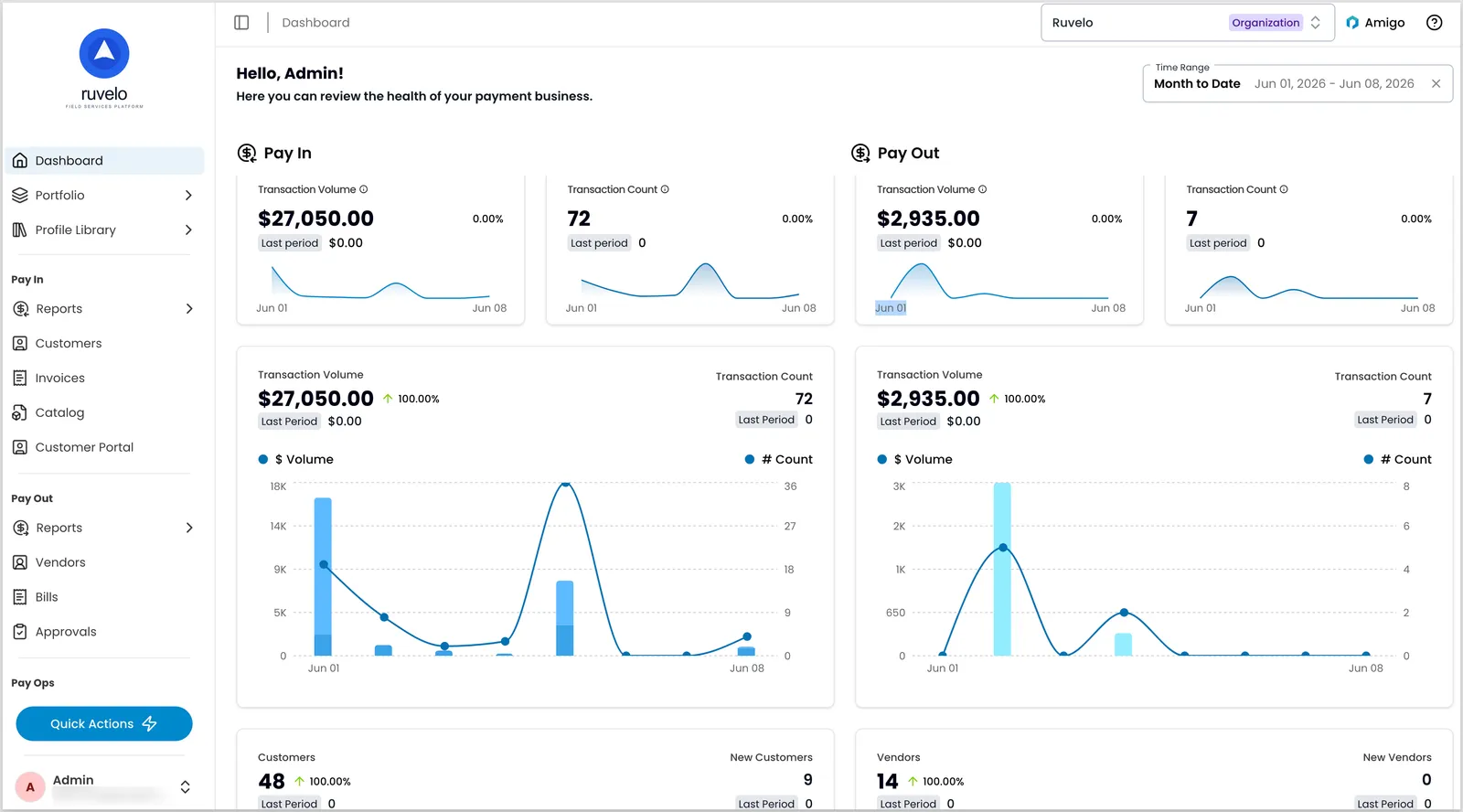
Who uses the Payabli Portal
Business users work here day-to-day — managing transactions, running reports, handling vendor operations and payouts, and resolving disputes. Start with transactions and reports.
Administrators control who can access it and what they can do. User accounts, role assignments, and organizational settings are all managed through Pay Ops. Start with managing users.
Developers use it during integration and as an ongoing companion to the API — token generation, webhook configuration, and SFTP access management. Start with API token setup.
Merchants can access a view scoped to their own activity — transaction history, disputes, and payouts — when their partner enables it. Their view is typically styled to match the partner’s brand.
Comparison with the API
The portal and the API access the same data and trigger the same operations. The difference is who’s using them and where. A few UI-specific features are also worth knowing:
- User access: You don’t need to generate user API tokens or make requests through the backend. You can log in with a password and MFA, or through a single sign-on provider.
- Custom reports: It includes a custom reports builder in the UI, reducing dependence on backend data pulls for reporting workflows.
- Amigo™: Amigo, Payabli’s AI agent, answers plain-English questions about your data directly in the Portal, without building a custom report. See Amigo Insights overview.
- No-code operations: Tasks like vendor enrichment and boarding template management don’t require API calls, making them accessible to non-technical users.
- Testing: It runs in the same sandbox environment as the API, and the same test cards work in both. See the integration testing guide for testing workflows that apply to either surface.
Reports and navigation
Most of your data lives in reports: filterable table views where clicking a row opens the full record. Individual records support deep linking, so you can share a URL directly with teammates or the Payabli support team.
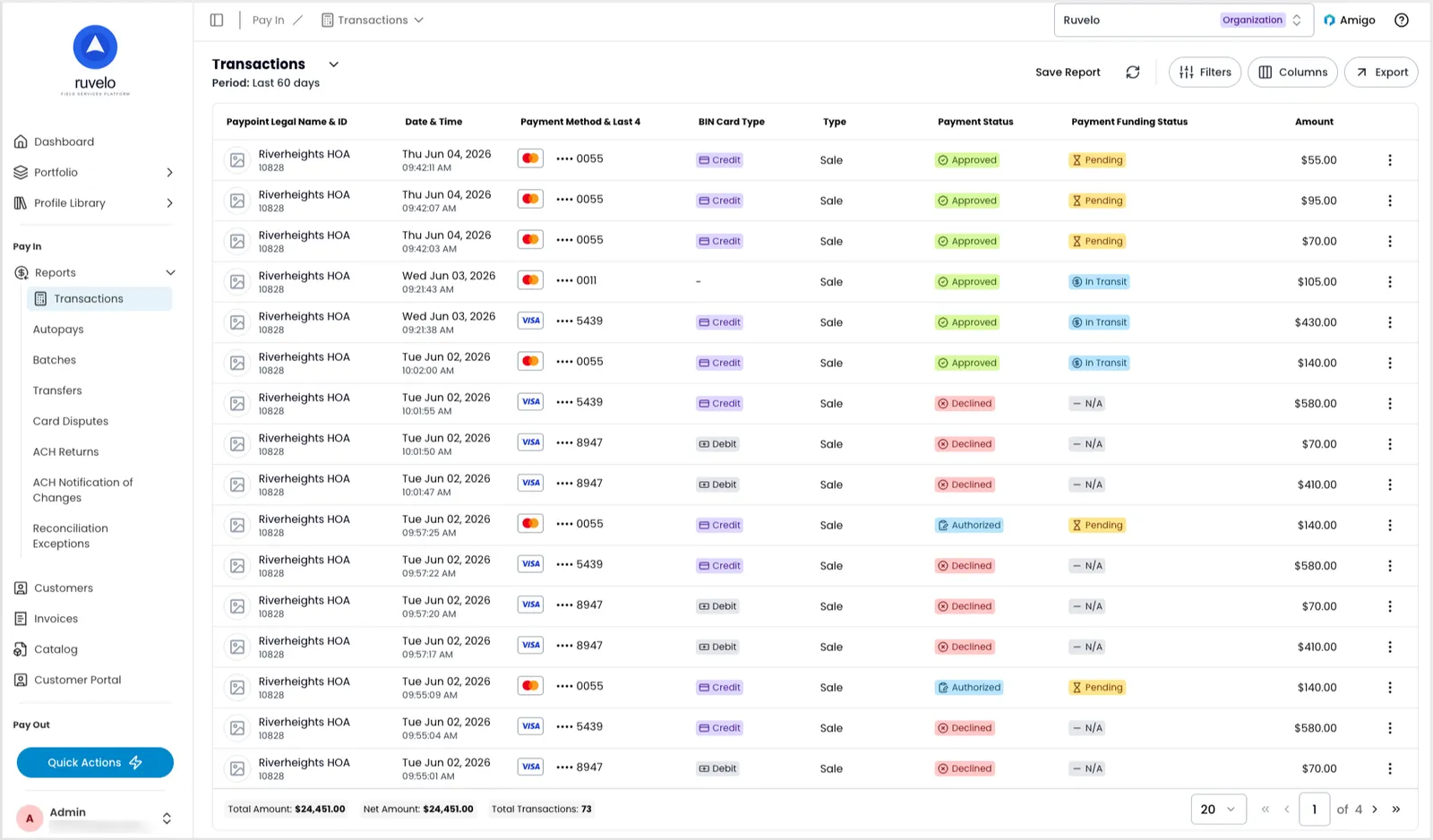
For a walkthrough of the sidebar, search, and quick actions, see Navigate the Payabli Portal.
Related resources
See these related resources to help you get the most out of Payabli.
Next steps
- Navigate the Payabli Portal - Learn the layout of the Payabli Portal — Pay In, Pay Out, and Pay Ops — and what you’ll find in each