

Cancel a Pay In transaction (Portal)
Cancel a Pay In transaction directly from the Transactions report: void it before it settles, or refund it after settlement. The portal only shows the action that’s valid for a transaction’s current status. For the underlying status-based logic — relevant if you’re also canceling transactions via the API — see Decision guide: Void vs refund.
Find the transaction
Navigate to Pay In > Reports > Transactions. Use the Filters button to find the transaction you’d like to reverse. For filter options and saved views, see Manage Pay In transactions.
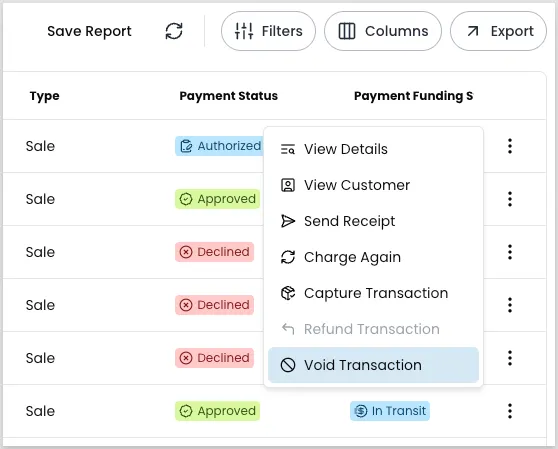
Void a transaction
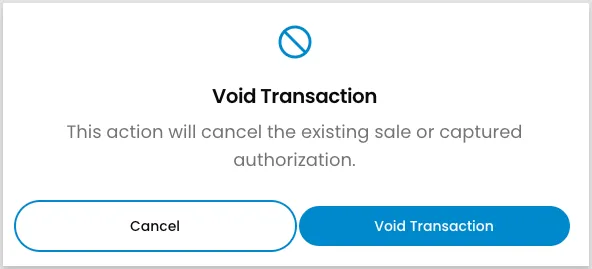
You can void a transaction only while it’s unsettled and still in an open batch. After settlement begins, refund the transaction instead.
Refund a transaction
Refund a transaction after it has settled, or after its batch has closed for void.
For ACH transactions, wait for the original debit to clear — typically 3 business days — before refunding. Refunding too soon can result in the customer receiving both the refund and a return of the original debit, which you then need to collect back manually. See ACH returns and refunds for the full scenario.
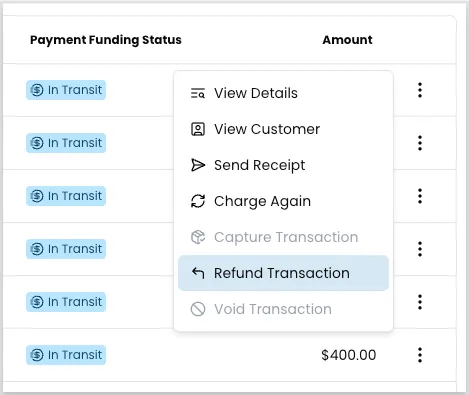
Open the action menu
Locate the transaction, click the three-dot icon, and select Refund Transaction.
Enter the refund amount
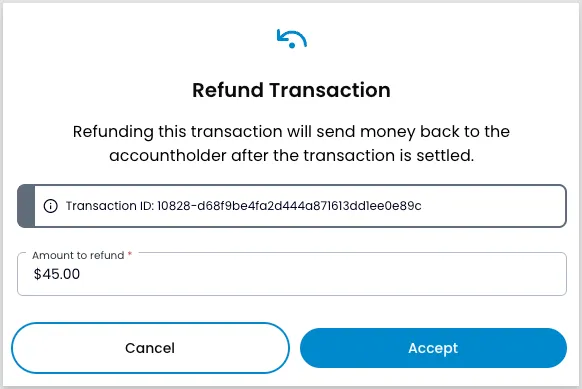
The modal shows the transaction ID. Enter the amount to refund — the full amount or a partial amount.
Service fees aren’t refundable. The maximum refund amount is the original total minus any service fee — for example, a $100 charge with a $5 service fee can be refunded up to $95. See Payor fees for how fees are configured.
Submit the refund
Click Accept to process the refund. If your account uses Enhanced Refund Flow — the default for most partners and merchants — a refund submitted during the nightly settlement window, or for a sale less than 24 hours old, doesn’t process immediately. Payabli queues it and processes it automatically, then notifies you once it completes.
Once processed, funds typically return to the customer’s account in 2 to 3 business days, though it can take 5 to 7 business days depending on the customer’s bank.
Related resources
See these related resources to help you get the most out of Payabli.
Prerequisites
- Manage Pay In transactions (Portal) - Use the Transactions report to locate the transaction you want to cancel
References
- Payor fees - Learn how payor fees work in Payabli and how to configure and send them on transactions